

Your profile contains your personal information and billing details. You can update this information at any time from your account settings.
How to access your profile
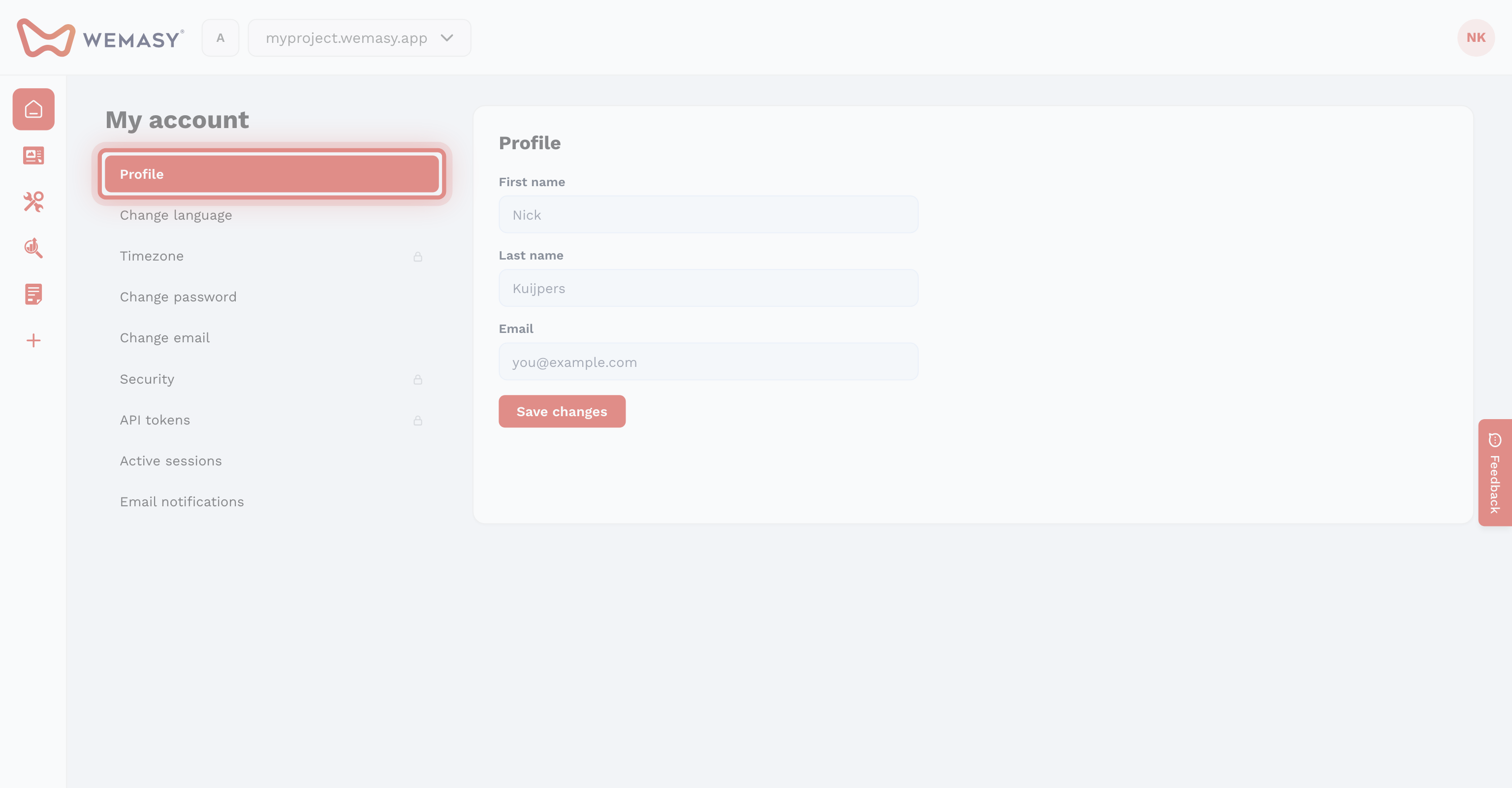
- Click your avatar or initials in the top right corner of the dashboard.
- Select My account from the dropdown menu.
- You will see your profile section at the top of the page.
Editing your name
Your first name and last name are displayed throughout the WEMASY dashboard. Other team members will see this name when you collaborate on projects.
- In the profile section, locate the First name and Last name fields.
- Update the fields with your new information.
- Click Save to apply your changes.
Editing your billing details
Your billing details are used for invoices and payment processing. Keeping this information accurate ensures your invoices are correct.
- In the profile section, locate the billing details fields.
- Update the relevant fields such as your company name, address, or VAT number.
- Click Save to apply your changes.
Tip: Make sure your billing details are up to date before your next payment cycle. Changes to billing details do not affect previous invoices.
What your profile does not include
Your profile section is for personal and billing information only. Other account settings such as your email address, password, language, and time zone are managed in separate sections of the My account page.