

The images of your website are kept in the WEMASY image storage. By default your pages show the images straight from the image storage. You can also choose to put the images into the published website itself. This article explains the two options and when to change them.
Find the setting
- Open the project settings.
- Stay on the general settings and scroll to Publishing.
- Under Images, pick one of the options.
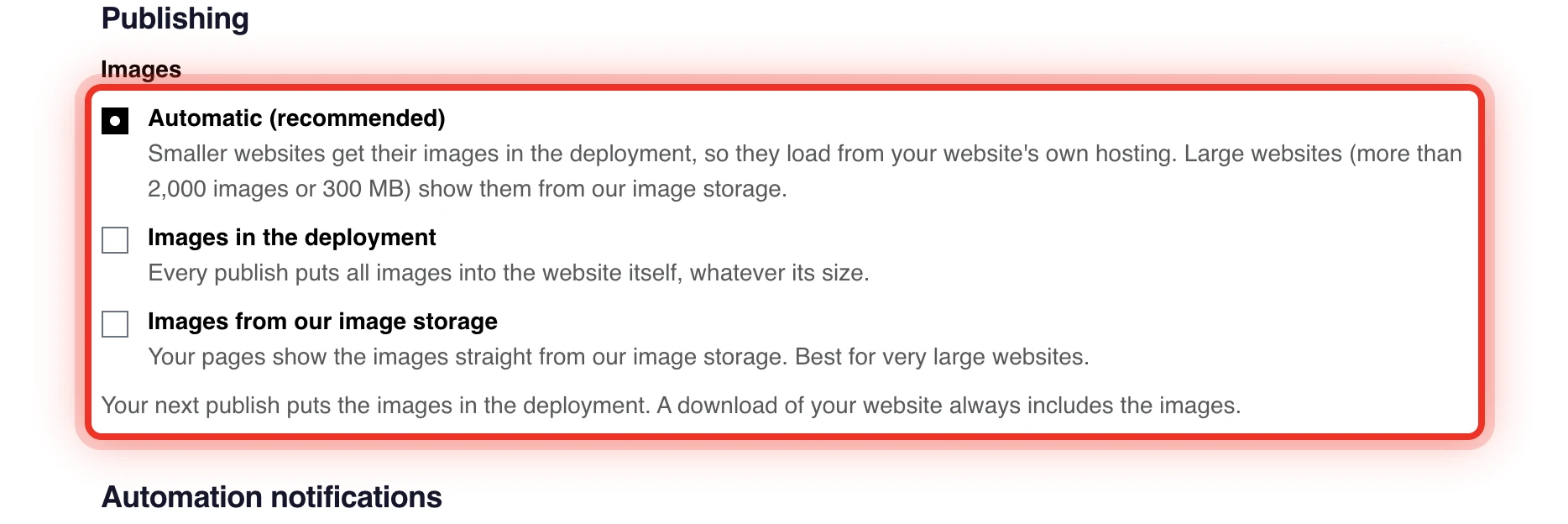
Your choice is saved right away and you see Saved. It applies from the next publish. Publish your website to use it. See Publishing your website.
The two options
- Images from our image storage (recommended): your pages show the images straight from the image storage. This is the default for every project. Nothing extra goes into each published version.
- Images in the deployment: every publish puts all images into the website itself, whatever its size.
Under the options, one line tells you what the next publish does, for example Your next publish puts the images in the deployment.
Which option to choose
- Keep Images from our image storage (recommended) unless you have a reason to change it. It suits sites of every size.
- Choose Images in the deployment when you want every image inside the website itself.
Visitors see the same images with every option. Your images stay in your media library either way.
Downloading your website
A download of your website always includes the images, whatever you pick here. On a large site WEMASY may need a moment to prepare the download first. See WEMASY subdomain and export.
Frequently asked questions
I changed the option but nothing changed on my site
The option applies from the next publish. Publish your website again to use it.
Why can I not change the option?
When the options are greyed out, images in the deployment are switched off for now. Your pages keep showing the images from the image storage.